Mobile · 2026 · Self-initiated
A bilingual app that tells Puerto Rico's mountain bikers and trail runners how much of a park they can ride before they drive there.
- Company
- Personal project
- Timeline
- 2026 · started at the Figma Config Makeathon
- My role
- Designer and builder: research, UX, UI, design system, front end
- Team
- Solo
- Platform
- Mobile web
What this project shows
- 01
Designing and shipping a real product, end to end, on my own
- 02
Honest UI: every status shows where it came from
- 03
Design tokens mapped one to one to the code
Overview
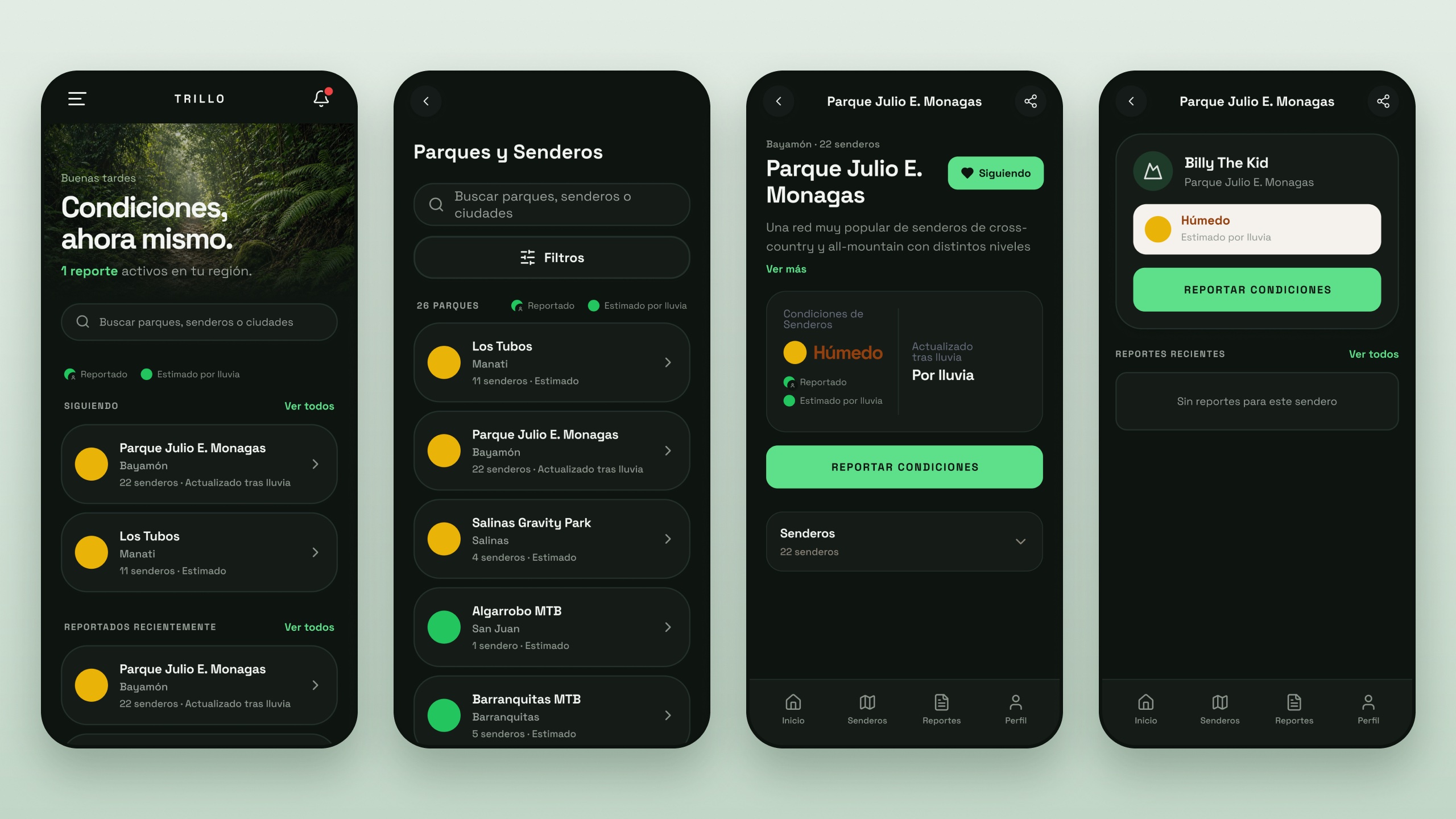
Trillo answers one question for mountain bikers and trail runners in Puerto Rico: can I ride today?
Every park gets a color, from green (ride it) to red (stay home). Riders who were just there report what they found. When nobody has, Trillo estimates the condition from recent rainfall.
It's built for the trailhead: a dark interface and large tap targets, for phones used outdoors and one-handed. It installs like an app, in Spanish and English.
It started as my own problem, and turned out to be everyone's. I designed and built it myself, from the first version to the live app at eltrillo.app.
Challenge
In Puerto Rico, a sunny morning can follow a night of heavy rain. Riders drive an hour, only to find a muddy, closed, or damaged trail. And riding wet trails damages them for everyone.
My role
I worked solo, as the only designer and the only builder. I asked rider friends and a riding group what they needed. Then I designed the flows, design system, and UI, and built and launched the app myself.
- I started in Figma Make for the Figma Config Makeathon, and built the first version there.
- I chose to move it to Cursor. Figma Make got the first version published, but I wanted a stronger stack: GitHub for the code, Vercel for hosting, and Supabase for the database. Cursor was the stronger AI tool for that, and I already knew it well. There I kept improving the app and launched it, with Open-Meteo for rainfall data.
- I kept the design file in sync with the code. Color, type, spacing, and radius are Figma variables that map one to one to the CSS variables in the app.
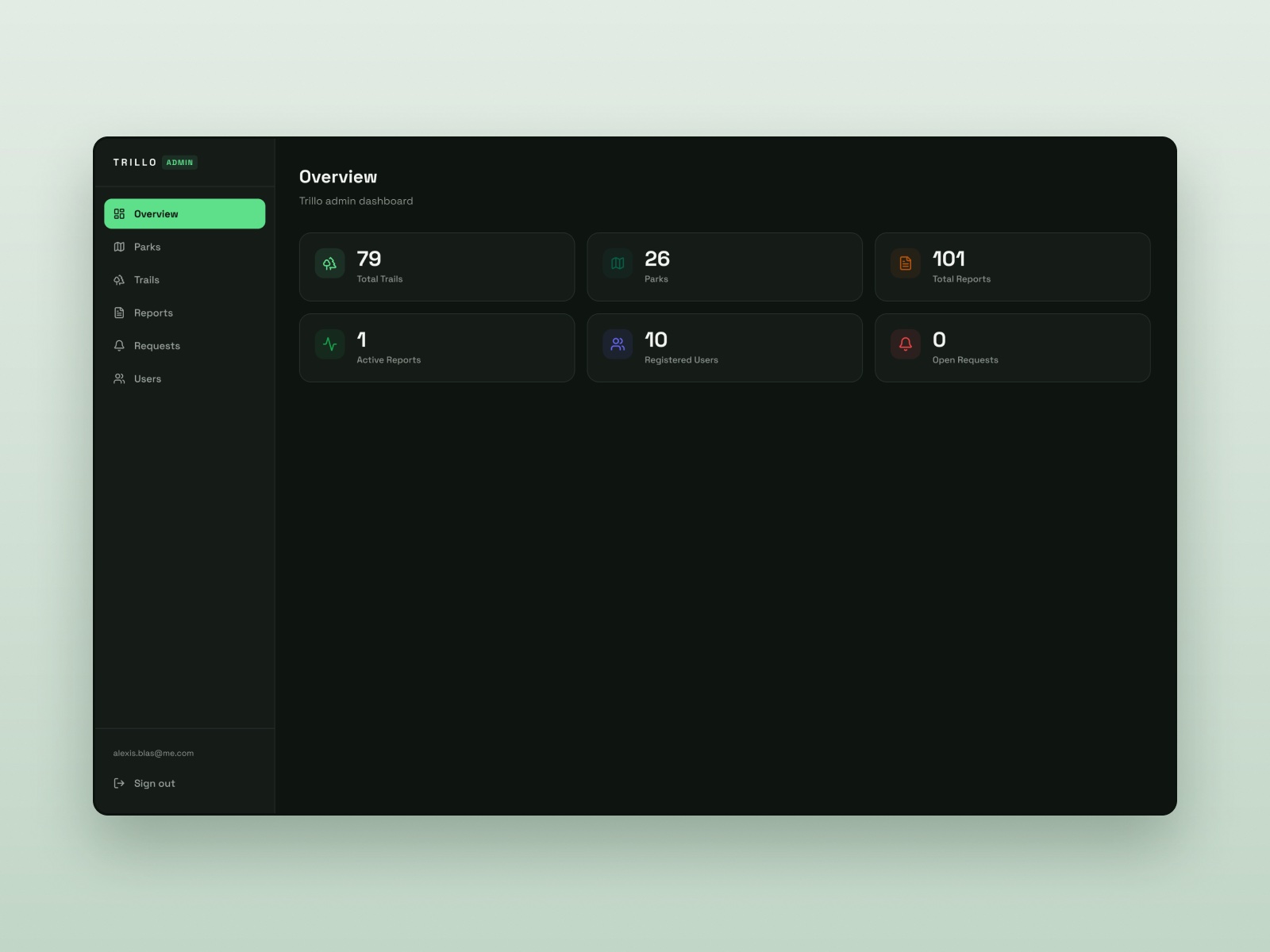
Three groups use it: riders, who check, report, and follow parks; guests, who can do almost everything without an account; and admins, who manage parks and trails and moderate reports from a desktop dashboard.
Key decisions
Decision 01
One glance: a color for every park
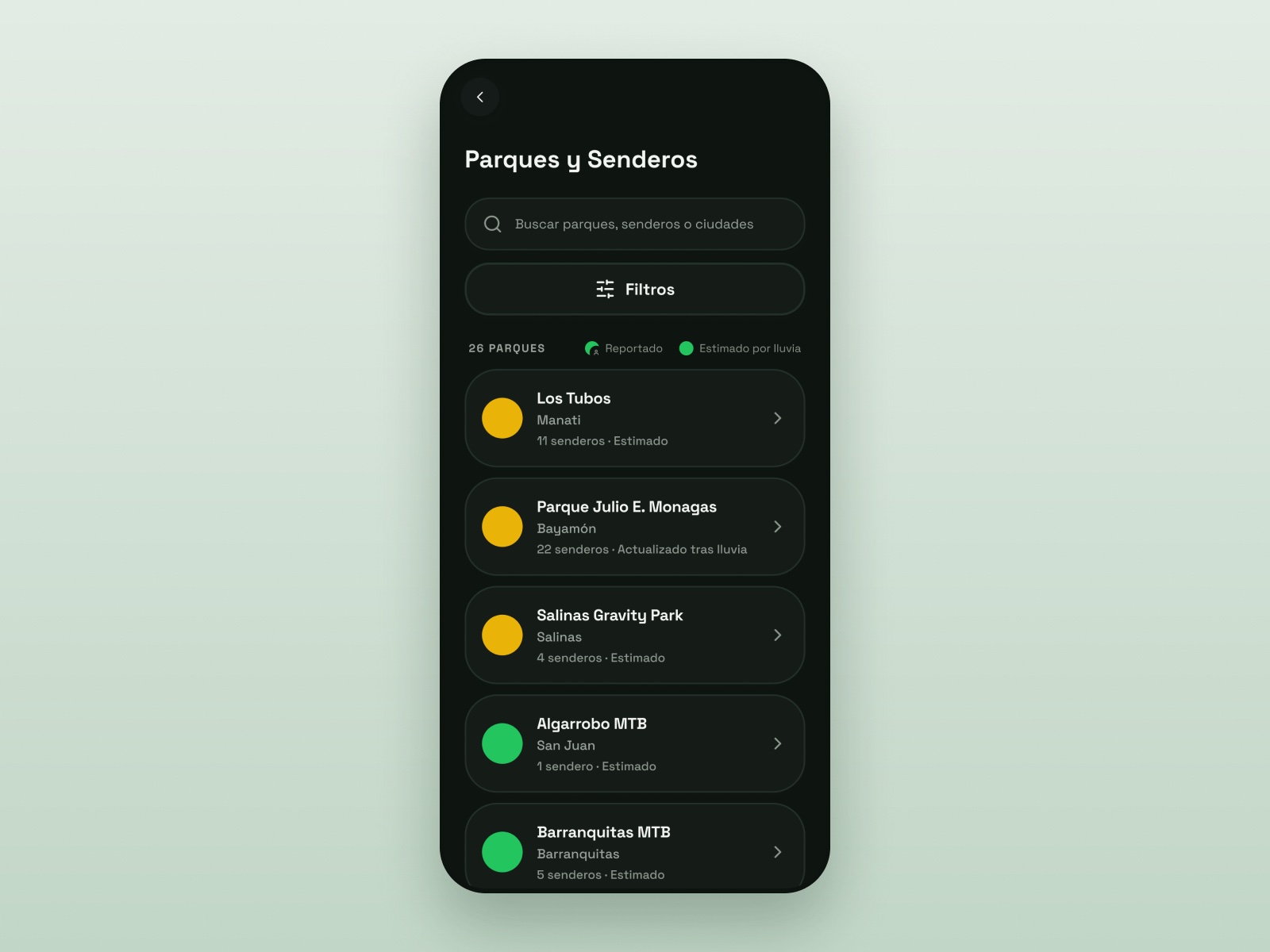
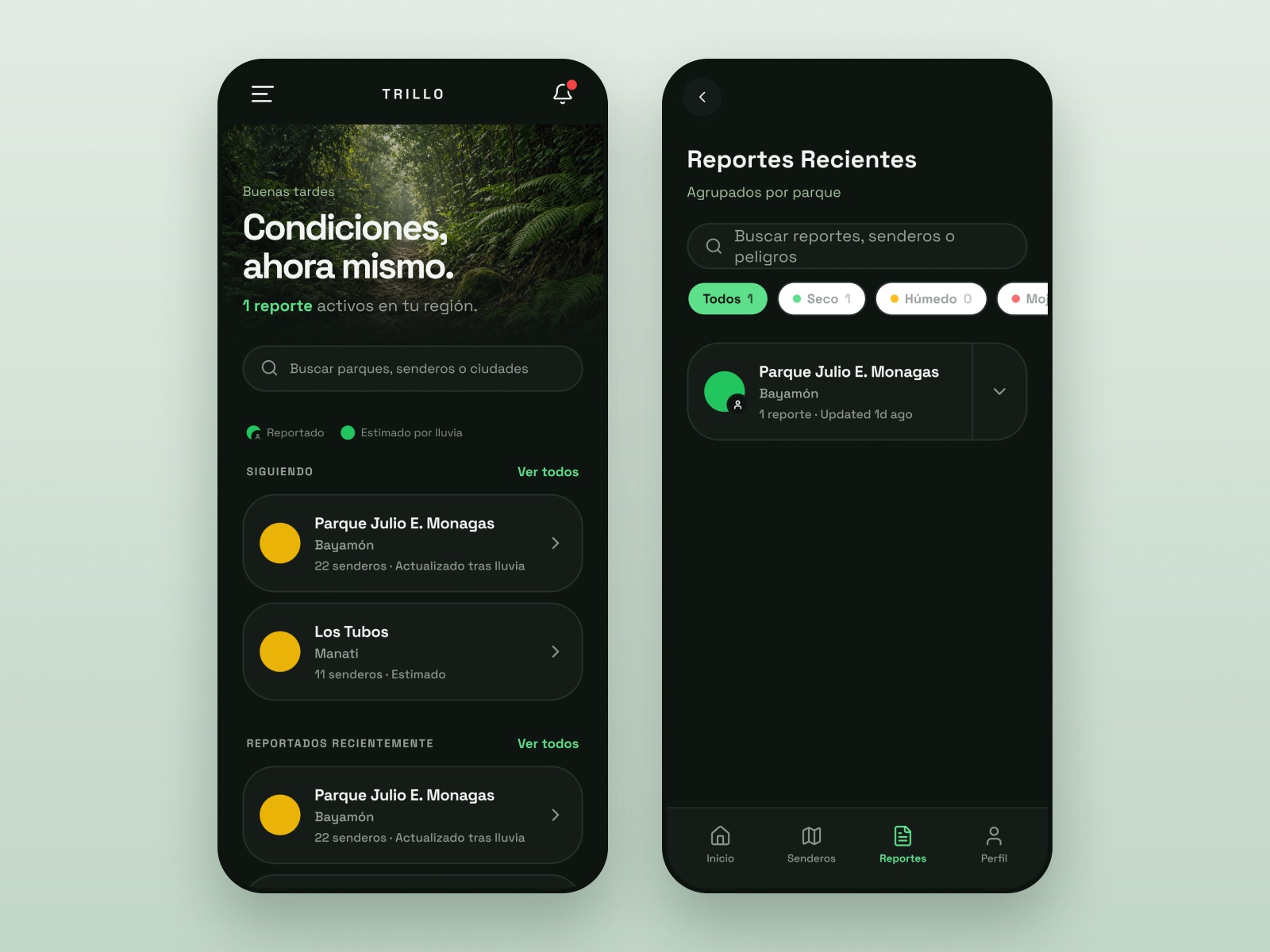
Riders check Trillo outdoors, before they head out. So every park shows one colored dot. Green means the whole park is rideable, yellow means some trails are, and red means the trails aren't in condition. Gray means there's no data yet.
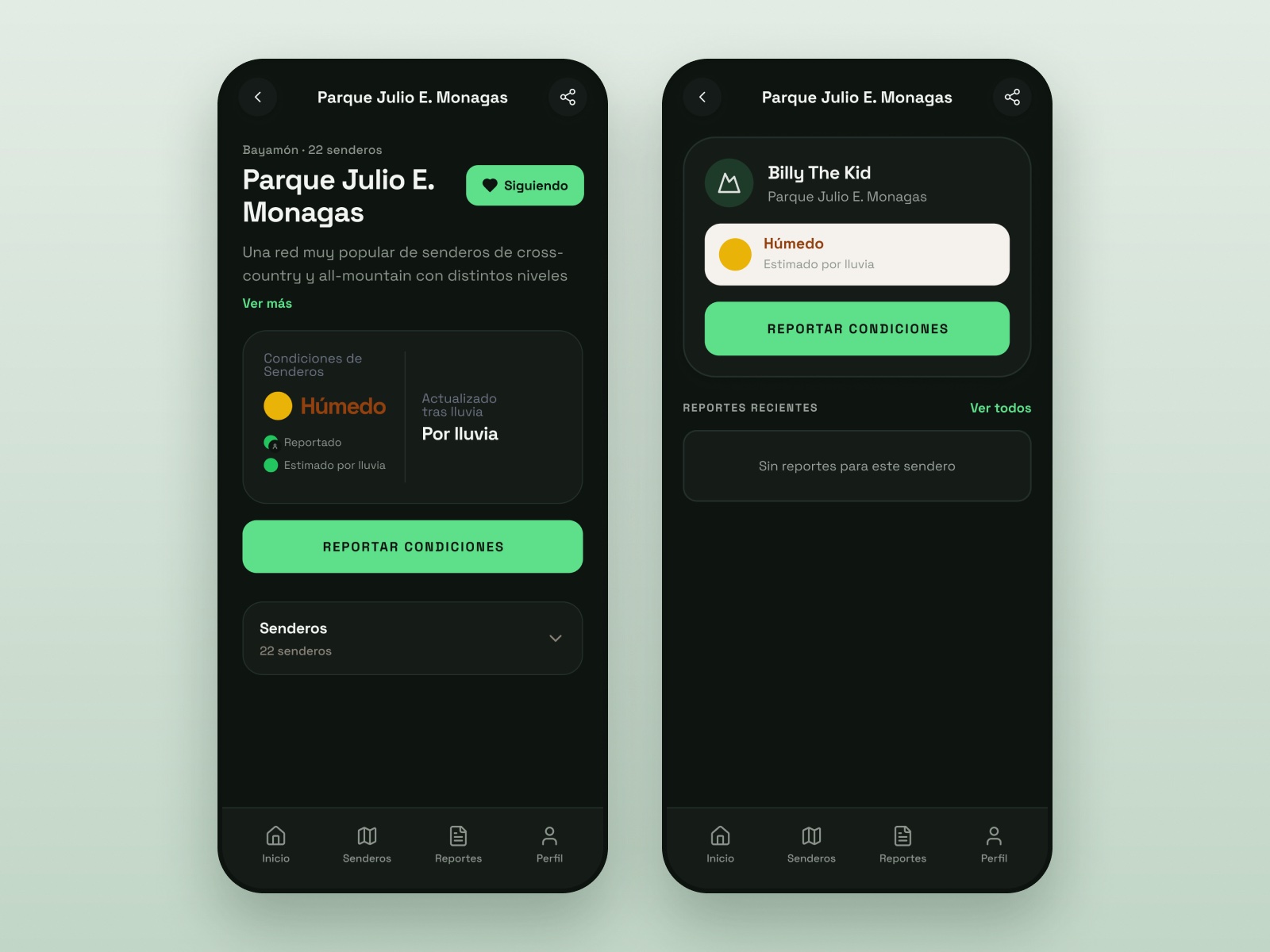
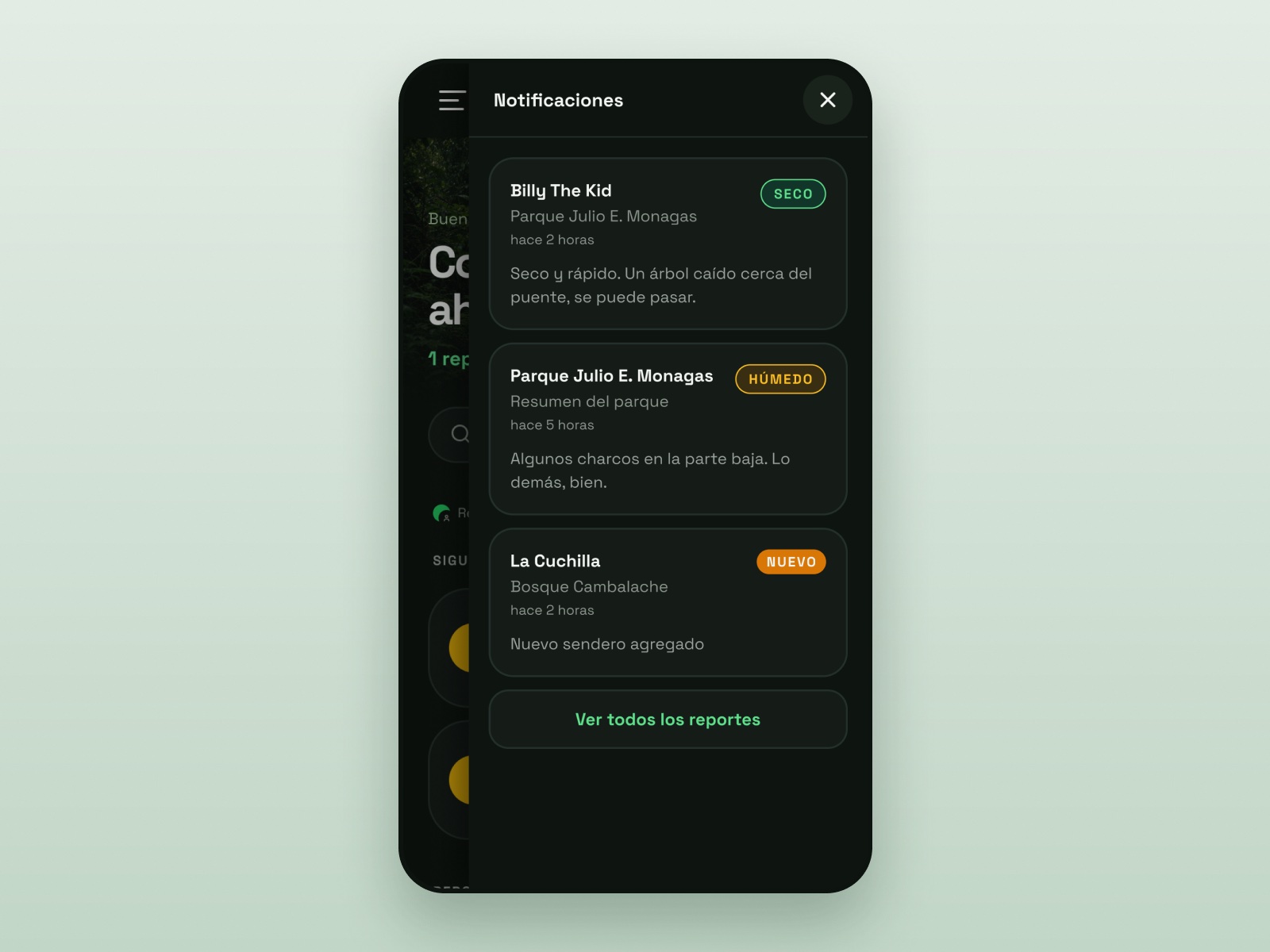
Inside a park, each trail has its own surface status (Seco, Húmedo, or Enlodado) and a short rating, which can't go above Regular when the trail is wet or muddy.
Decision 02
Fill the gaps with rainfall, and say so
A community app is only as good as its latest report, and a trail can go days without one. So when nobody has reported, Trillo estimates the condition from hourly rainfall. Muddy means 15 mm or more in 24 hours, or 25 mm in 72 hours. Wet means 5 mm in 24 hours, or 10 mm in 72 hours. Anything less is dry.
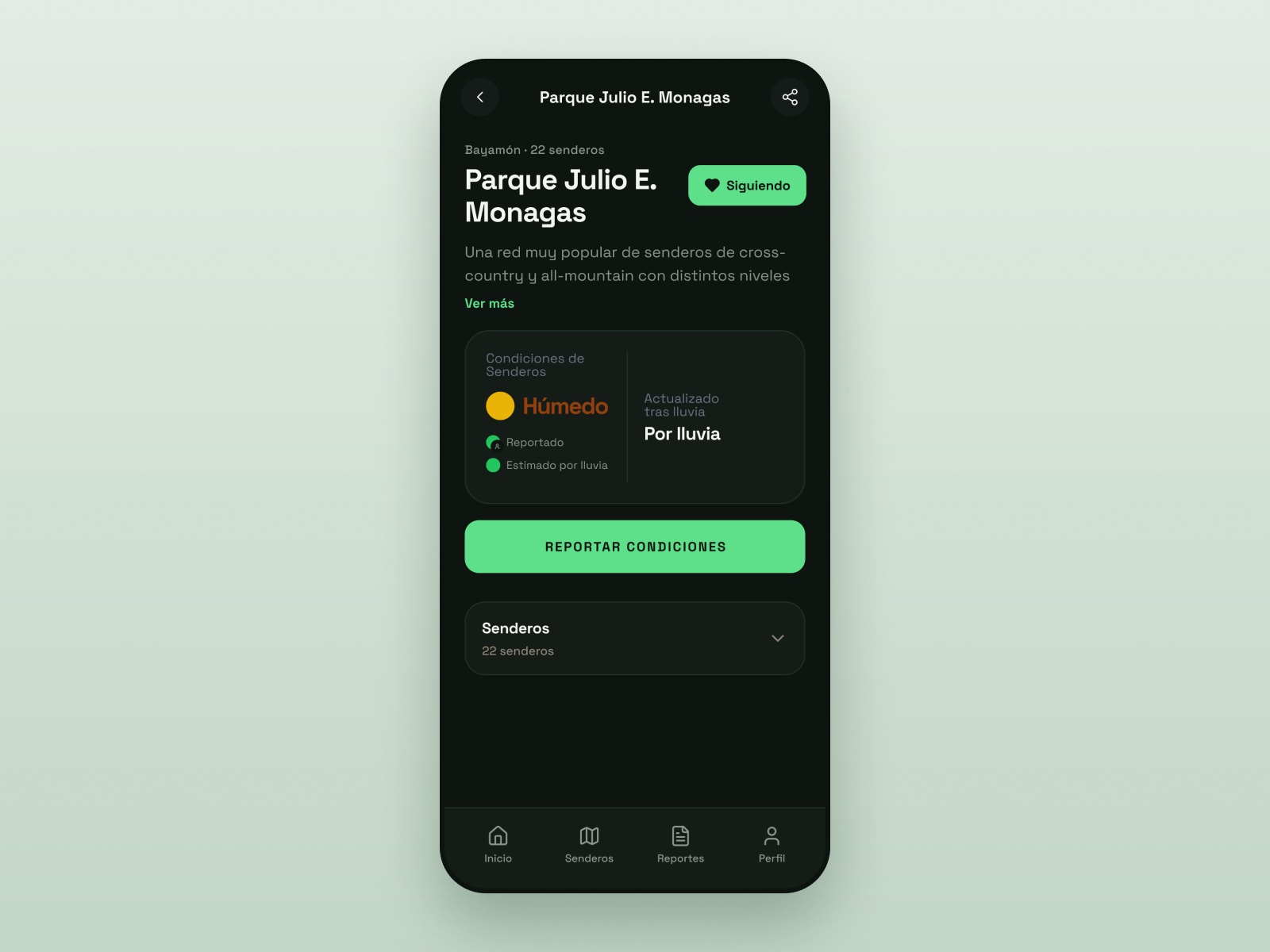
A guess shouldn't look like a fact, so every status shows where it came from. A person badge means a rider reported it. A plain dot means Trillo estimated it. If it rains after a report, the status gets wetter on its own and says "Actualizado tras lluvia" (updated after rain).
Trade-off: The rainfall rules are the same everywhere and use the park's city. That keeps them simple, but a park that drains fast, or sits higher than its city, can show a status that's off. A fresh rider report always takes over.
Decision 03
Report fast, no account needed
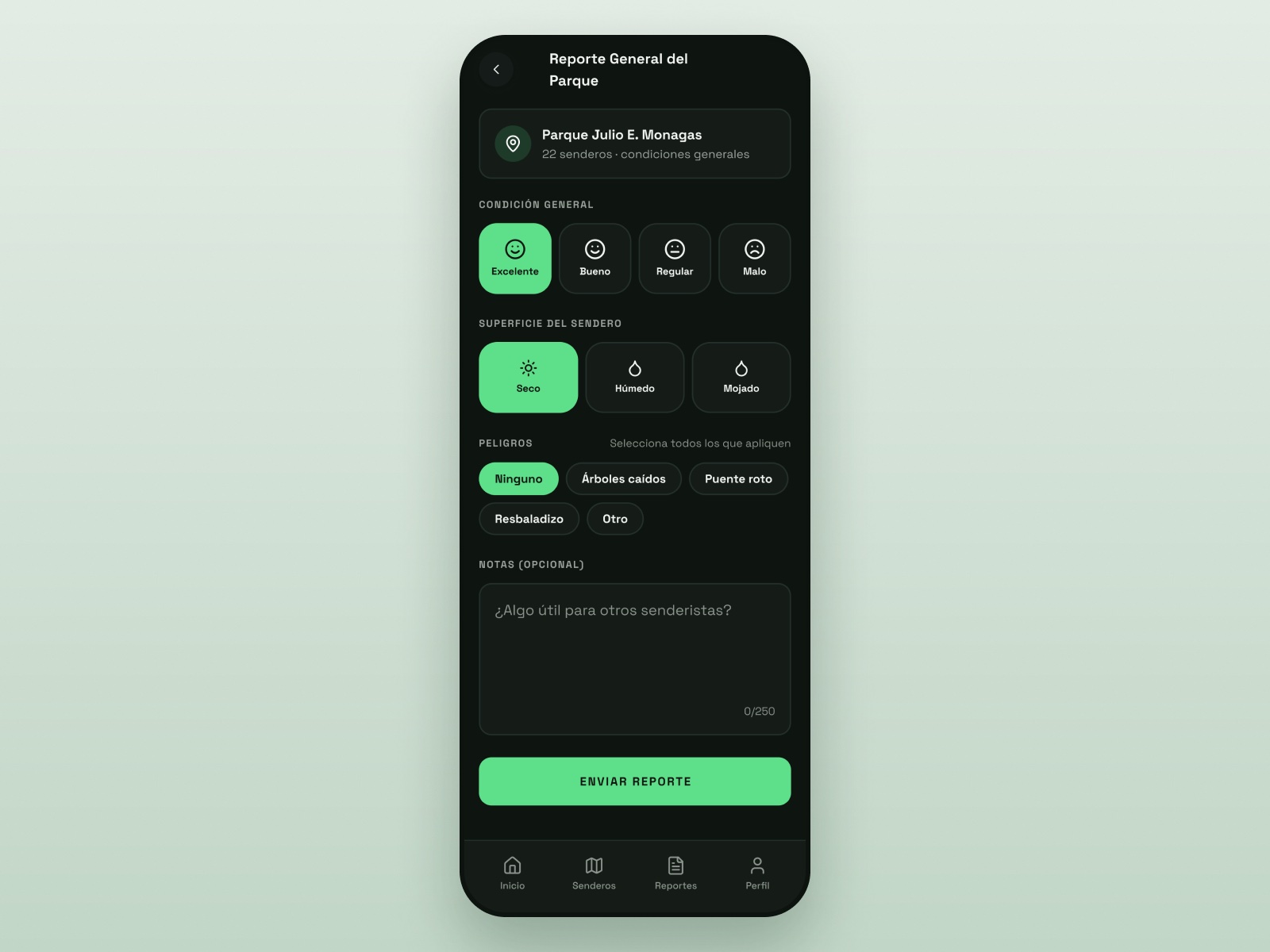
Reports keep Trillo alive, so reporting had to be fast. A rider picks an overall rating, the surface, and any hazards, then adds a note if they want. I designed it to take about 15 seconds, with or without an account.
Critical hazards, like downed trees, a broken bridge, or a trail that needs maintenance, show up as amber notices. Reports stay active for 3 days, or 5 if they flag downed trees.
Trade-off: Anonymous reports can be wrong or misused. Admins can review and moderate them, and reports expire after 3 days.
What riders asked for
After launch, riders told me what was missing. I built each of these from their requests:
- Share conditions. Riders wanted to send a trail's status to their group, so every report can be shared to social media.
- Share hazards. A downed tree or a broken bridge matters to everyone heading there, so hazards can be shared too.
- Request a park. Riders asked for parks that weren't listed. Now they can ask from the bottom of Home, and admins review each request.
- A clearer park color. Riders wanted to know how much of a park they could ride, so the park color now answers exactly that: all of it, some of it, or none.
Gallery
Outcome
- People in four weeks
- 45
- Visits in the same four weeks
- ~230
Trillo is live at eltrillo.app. It covers 26 parks and 79 trails across Puerto Rico, in Spanish and English. In four weeks (Sep 28 – Oct 25, 2026), 45 people visited Trillo about 230 times, mostly from San Juan and Bayamón. That came from almost no promotion: just one park's Instagram account and one private WhatsApp group.
What's next
Next, I'm promoting Trillo to riders across the island, beyond one park's Instagram and a single WhatsApp group.
On the design side, I'm finishing a few admin screens. I'm also updating the early screens to use the components I built later, so the whole app runs on one system.
Reflection
Trillo started as my own problem. It was hard to know when to go out, and how the trails would be when I got there. When I shared the problem with other riders, I realized it affected everyone.
Building it myself, from Figma Make to a live app, meant real riders shaped it, starting with me.
Next projects
See all work